Real AI video6.8s
Generated with this website
Another photo, the same reaction
A new photo brought to life with the original sound.
Use this templateONE PHOTO. ALL THAT ENERGY.
The Quesadilla Reaction, made from your photo.
Watch a real AI example, then use one photo to make the reaction with the original sound.
Browse the template first. Sign in when you’re ready to add your photo.
From $5.99 per video. See all credit packs. Generation time can vary.
See the Quesadilla reaction in action
Real AI-generated examples with the original sound. Watch the reactions before choosing your photo. Results vary with each photo.
Make my videoMore Like a Quesadilla turns one photo of a consenting adult into a portrait MP4 about seven seconds long, with the original Quesadilla Reaction sound and no captions.
Watch the example with sound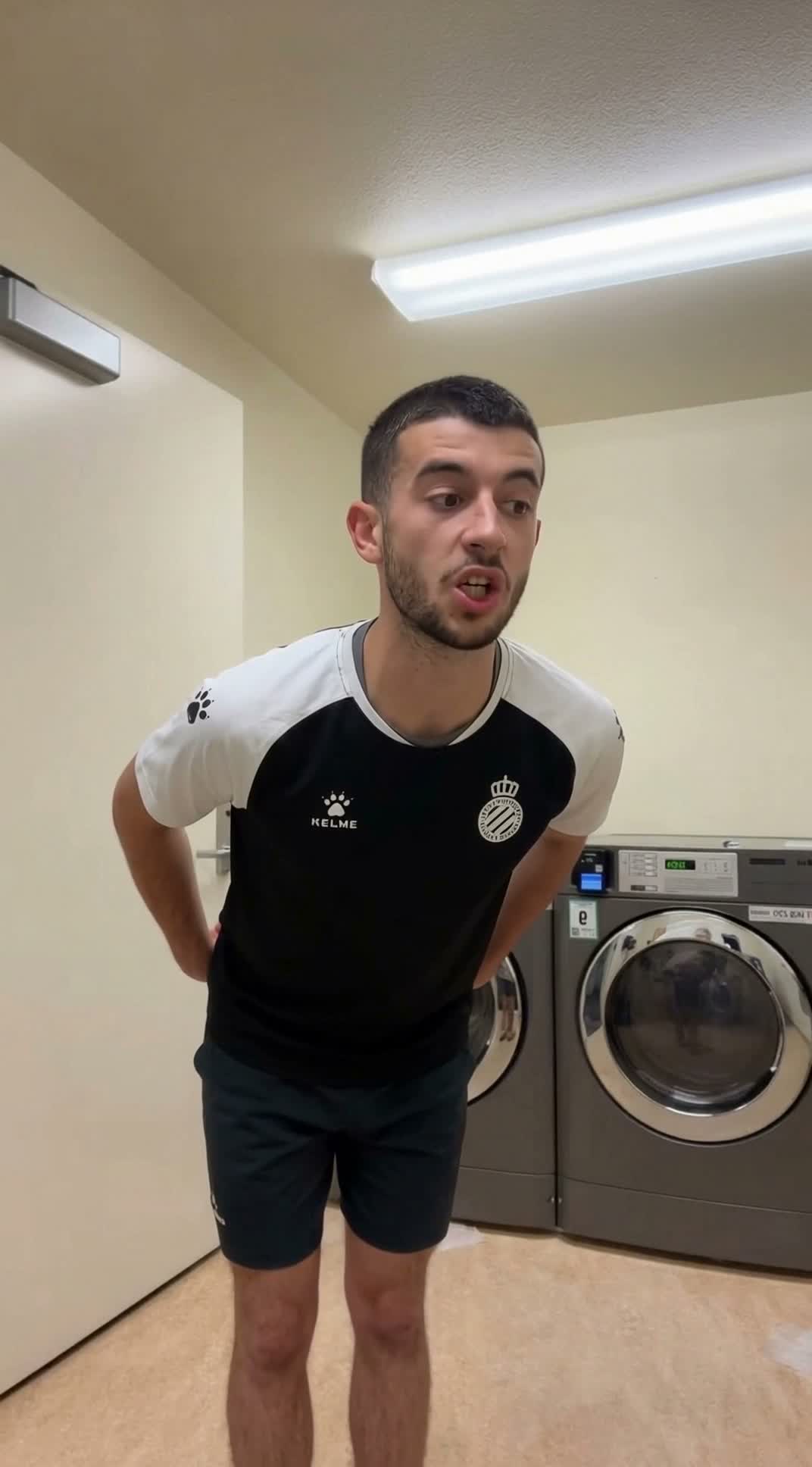
Each video uses 100 credits. One-time packs cost USD 5.99 for 100 credits (1 video), USD 14.99 for 300 credits (3 videos), and USD 24.99 for 600 credits (6 videos).
Watch the sample and check which photo to use before you start.
One reaction template with a real AI-generated example and the original sound.
Real AI exampleA single-person reaction with the original movement and sound.
The sample is a real AI-generated result. Timing, expression and movement can vary with the photo.
Choose the reaction, sign in to add your photo, then select Generate video. Download the finished MP4 from My videos.
MAKE THE REACTION
Choose one photo to recreate the reaction with the original moves and sound.
Use one clear photo of one adult. JPG, PNG or WebP up to 10 MB.
The finished video includes the original sound.
Timing can vary. You can check this task again from My videos.
Checking sign-in…
Choosing a photo is free.
Use a photo of yourself or an adult who gave you permission.
The Quesadilla Reaction · About 7 seconds · Original sound
HOW IT WORKS
The template supplies the movement, timing and original sound. You just need a photo.
Preview The Quesadilla Reaction and select it in the creator.
Sign in at the photo step. Use a well-lit photo of one adult whose image you have permission to use.
Confirm photo permission and choose Generate video. Follow the task and download the finished MP4 from My videos.
The approved clip follows one person in a single portrait shot. The reaction starts immediately and lasts about seven seconds. You can hear the original sound throughout.
Read the full tutorialThe person starts leaning forward. The arms move outward early, then draw back in.
Head turns and changes in expression follow the middle of the clip, with visible mouth movements.
The person lifts one hand near the end of the reaction.
The More Like a Quesadilla reaction is also associated with the phrase “Tough Like a Gorilla.” Make your own single-person version from a photo using the same template.
Explore the Tough Like a Gorilla AI video generatorCREDIT PACKS
Choose 1, 3 or 6 videos. Every video uses 100 credits.
One-time payment. No subscription or automatic renewal. Same video quality in every pack.
100 credits
Make 1 video · 100 credits per video
$5.99 per video
300 credits
Make 3 videos · 100 credits per video
$5.00 per video
Save $2.98 vs. single videos
600 credits
Make 6 videos · 100 credits per video
$4.17 per video
Save $10.95 vs. single videos
Photo requirements, video downloads and purchasing.
The creator runs in your browser. Choose the Quesadilla Reaction and add a photo. The template supplies the movement and original sound, so you do not need to write a prompt or edit the clip yourself.
Use one clear photo of one adult you have permission to depict. Keep the face visible and evenly lit. JPG, PNG and WebP files up to 10 MB are supported.
The finished video is a portrait MP4 about seven seconds long, with the original sound and no captions.
Yes. The displayed clip is a previously generated and approved sample. Results vary with the photo, and movements and mouth shapes are not frame-exact. It is not a guarantee of an identical output.
You can watch the example and choose the template first. Sign in when you want to add a photo, then return to the same creation task. An account keeps your video tasks and purchase records together.
Sign in and use 100 credits to make a video from your photo. US$5.99 for 100 credits (1 video); US$14.99 for 300 credits (3 videos); US$24.99 for 600 credits (6 videos). Each video uses 100 credits. Credit packs are one-time purchases with no subscription or automatic renewal. Choose a pack on Pricing to buy credits. Selecting a template or adding a photo does not start generation.
Choose Upload from phone and scan the temporary code on your computer. The link expires after 10 minutes. Send one photo and keep the computer creator open to receive it. This option appears when the secure phone-transfer connection is available.
After a task has started, use My videos to check that same task again. If a request has an uncertain status, check your task history before trying again to avoid submitting a second job.
When a task completes, use My videos to download the portrait MP4 with the original sound. Finished videos are available to download for 30 days after saving. Check the task for its expiry date.
If a task is marked failed, the credits used for that task are returned to your account. If it is still processing or its status is unclear, check My videos before starting another task. Credit restoration for a failed task is separate from a payment refund.
Sign in and use Support in your account to submit or view a request, or email support@morelikeaquesadilla.com.
US$5.99 for 100 credits (1 video); US$14.99 for 300 credits (3 videos); US$24.99 for 600 credits (6 videos). Each video uses 100 credits. Credit packs are one-time purchases with no subscription or automatic renewal.
You can watch the existing sample and browse the template for free. Creating your own video requires 100 credits from a paid credit pack. The sample is not a personalized free video or a preview generated from your photo.
Yes. The finished More Like a Quesadilla reaction MP4 includes the original sound with no added captions. You do not need to upload audio, add a soundtrack, or turn off a caption setting.
No. Choose the template, sign in to add one photo, check the photo and credits, then select Generate video. The motion, timing and original audio are built into the template. Generation proceeds automatically after submission; adding a photo alone does not spend credits or start a video.
Processing time varies with the queue and photo; there is no guaranteed completion time. Follow the task in My videos, then download the finished portrait MP4 with its original sound. The video itself is about seven seconds long. Downloads remain available for 30 days after saving; check the task expiry date.
Watch the example, then choose the photo you want to use.